




Leave-by times
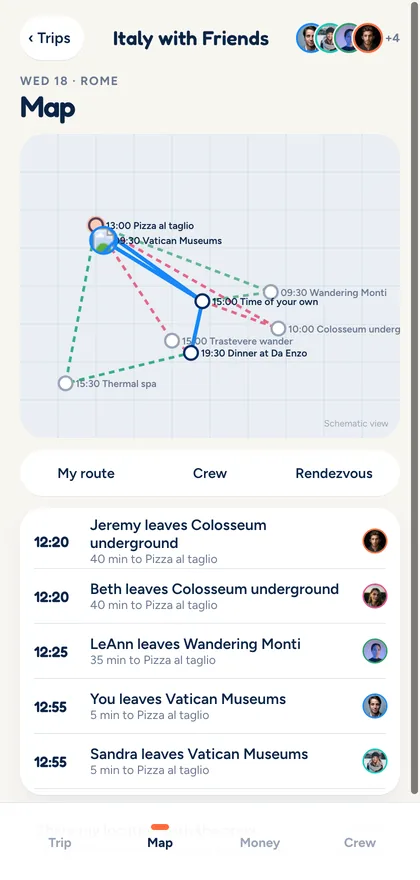
Different leave times. Same dinner.
Tripami estimates when each friend should leave, from wherever they are, so the whole crew gets there together.
Coming soon to the
App Store and Google Play
Tripami is the shared live trip app for friends. Everyone knows what’s next, even when you’re doing different things.
Invite friends with a link. They see the trip before they sign up.
Leave by 12:4020 min from Vatican Museums
Everyone rejoins at 8:00Dinner at Da Enzo
Sound familiar?
Tripami answers them for each person on the trip, so nobody has to dig through the group chat.
Split up, meet back up
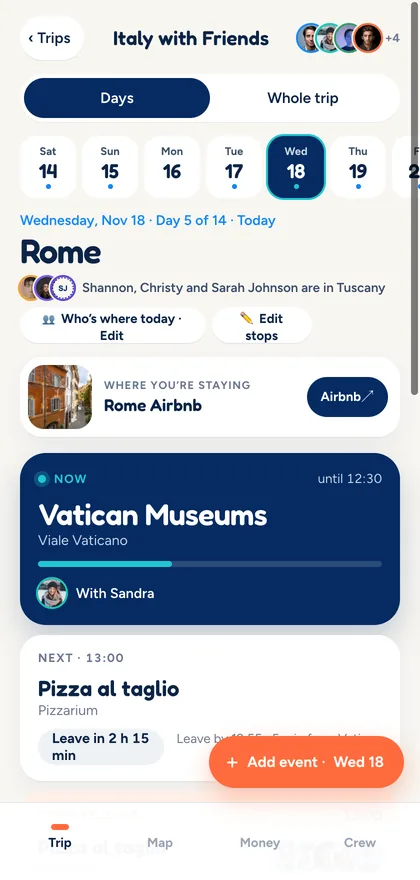
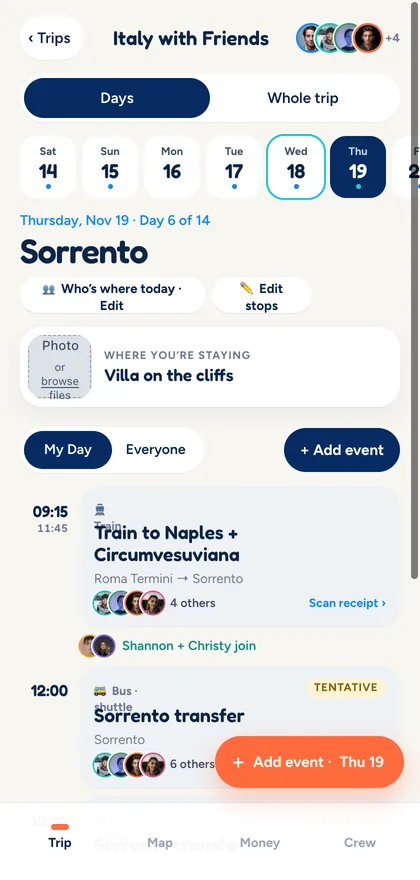
Some of you want the Colosseum. Someone needs gelato, someone needs a nap. Tripami keeps every path in one trip and shows exactly when the crew comes back together.

Rome · Day 3
How it works
Three steps from scattered confirmations to a trip everyone can follow.
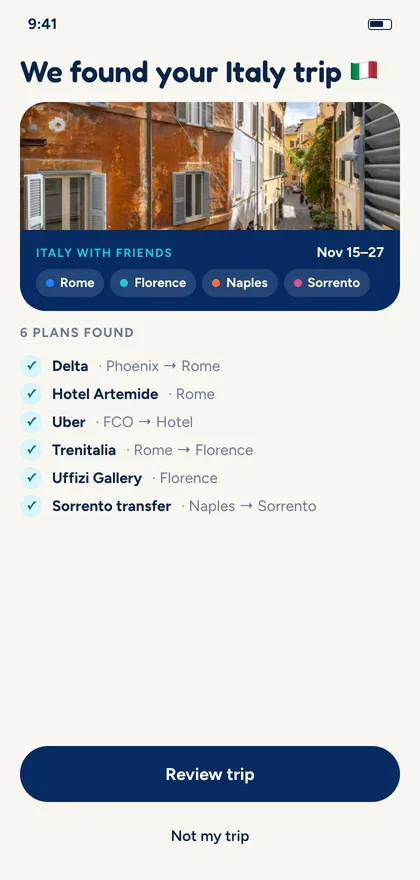
Connect Gmail and Tripami finds your flights, stays and trains. Or paste plans from your notes, ChatGPT or Claude.
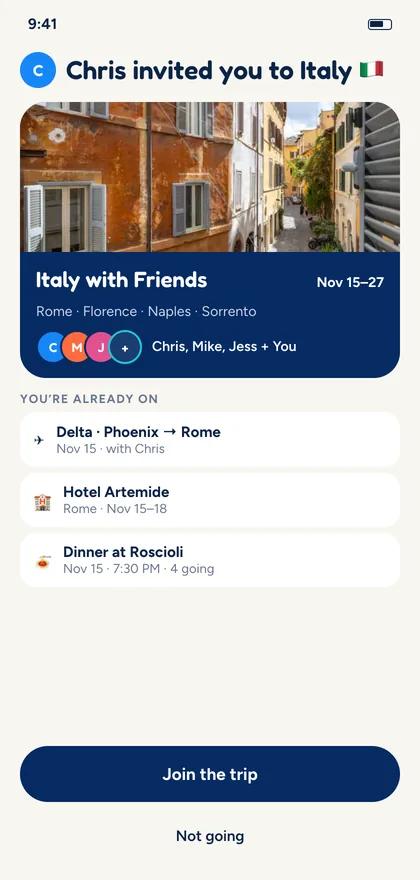
Add friends by name, phone or email. They’re on the trip right away, and see where, when and who before they sign up.
The trip belongs to the group. Your timeline belongs to you: your plans, who you’re with, and when to leave.
Features
Leave-by times
Tripami estimates when each friend should leave, from wherever they are, so the whole crew gets there together.
Lock Screen
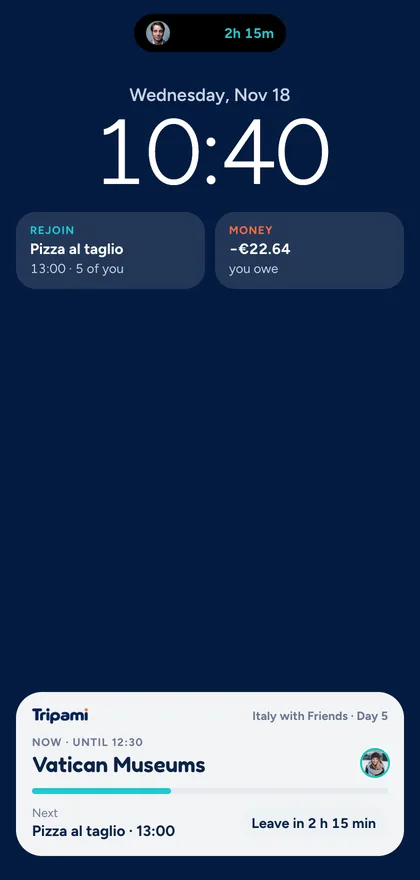
What’s now, what’s next and when to leave, right on your Lock Screen and in the Dynamic Island. Your trip, without opening the app.
Receipts and splits
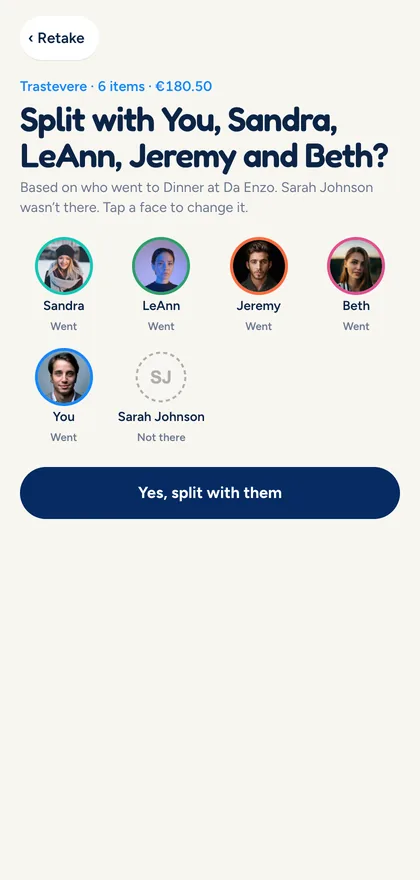
Scan the receipt and Tripami suggests who to split with, based on who was actually there. Split by item, evenly or by shares, then settle up in the payment app you already use.
Changes and confirmations
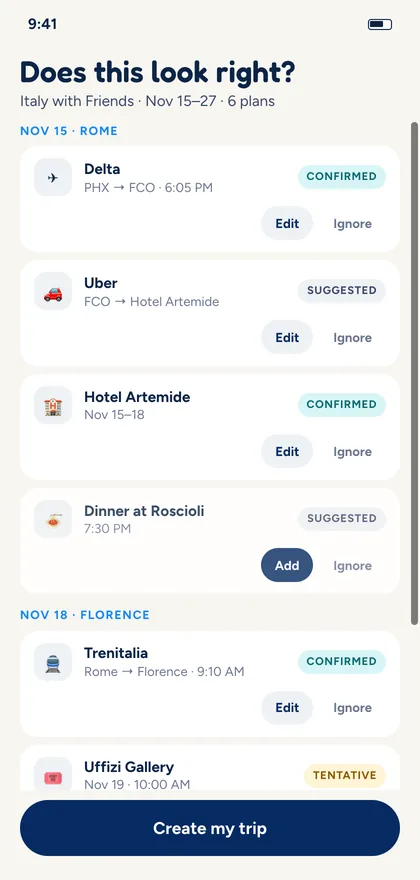
Imported plans arrive as suggestions until someone confirms them. When a booking moves or a flight is delayed, Tripami flags what’s affected instead of quietly rewriting your trip.
Suggested Tentative Confirmed Changed
Privacy and trust
Tripami is built to know the plan, not to watch you.
Tripami knows where friends are headed from the plan. Live location sharing is off by default and always your call.
Tripami tracks who owes what. Money moves in your payment app, never through Tripami.
Gmail is optional and read-only. Tripami only looks for travel plans, and you can disconnect anytime.
Imports and changes wait for someone to confirm. Moved plans are marked, never quietly rewritten.
Add friends before they have the app. When they join, they pick up the spot that was saved for them.
Removing a traveler or deleting a plan or an expense always asks for a second tap first.
FAQ
Tripami is coming soon to the App Store and Google Play. Get early access and we’ll let you know as soon as it’s ready.
No. You can add friends to a trip right away, and they show up as invited. When they open their invite, they see the trip first, then join with a quick sign-in and pick up the spot that was saved for them.
No. Tripami works from your plans, so it knows where everyone is headed without tracking anyone. Live location sharing is off by default and only turns on if you choose to share.
Only what you ask: find your travel plans. Gmail access is optional, read-only and separate from your Tripami sign-in. Everything Tripami finds waits for your review, and you can disconnect at any time.
The details are in our Privacy Policy.
No, and that’s on purpose. Tripami works out who owes what, and you settle up in the payment app you already use. Tripami never holds your money.
Tripami marks the change and shows what it affects, like a delayed flight and the dinner after it. Confirmed plans aren’t edited until someone on the trip confirms the change.
Connect Gmail to find flights, stays and trains automatically, or paste plans from your notes, a confirmation, or a trip you planned with ChatGPT or Claude.

The feeling we’re building for
Go together, do your own thing, and always know when you’ll meet back up. Coming soon to the App Store and Google Play.